3D Print Calculator Web / Getting started
How-to guideCreate your first quote
Version 1.6 · Updated · View changes
Set up your printer and material, then price a quote.
Screenshots use sample data. Your prices, license level and settings may differ.
Before you begin
- Sign in to the web calculator. Have your slicer time, material consumption and shop rates ready.
Procedure
- Open Printers.
- Enter the printer purchase price, lifetime and power draw. Review any settings filled in for a recognized manufacturer and model.
- Open Filaments.
- Set the material, spool price, spool weight and grams used per piece.
- In Order, enter print time and quantity.
- Open Pricing and set the target margin, your hands-on labor and the setup waste.
- Open More options in the Quote section if you need prep, filament changes or one-time costs.
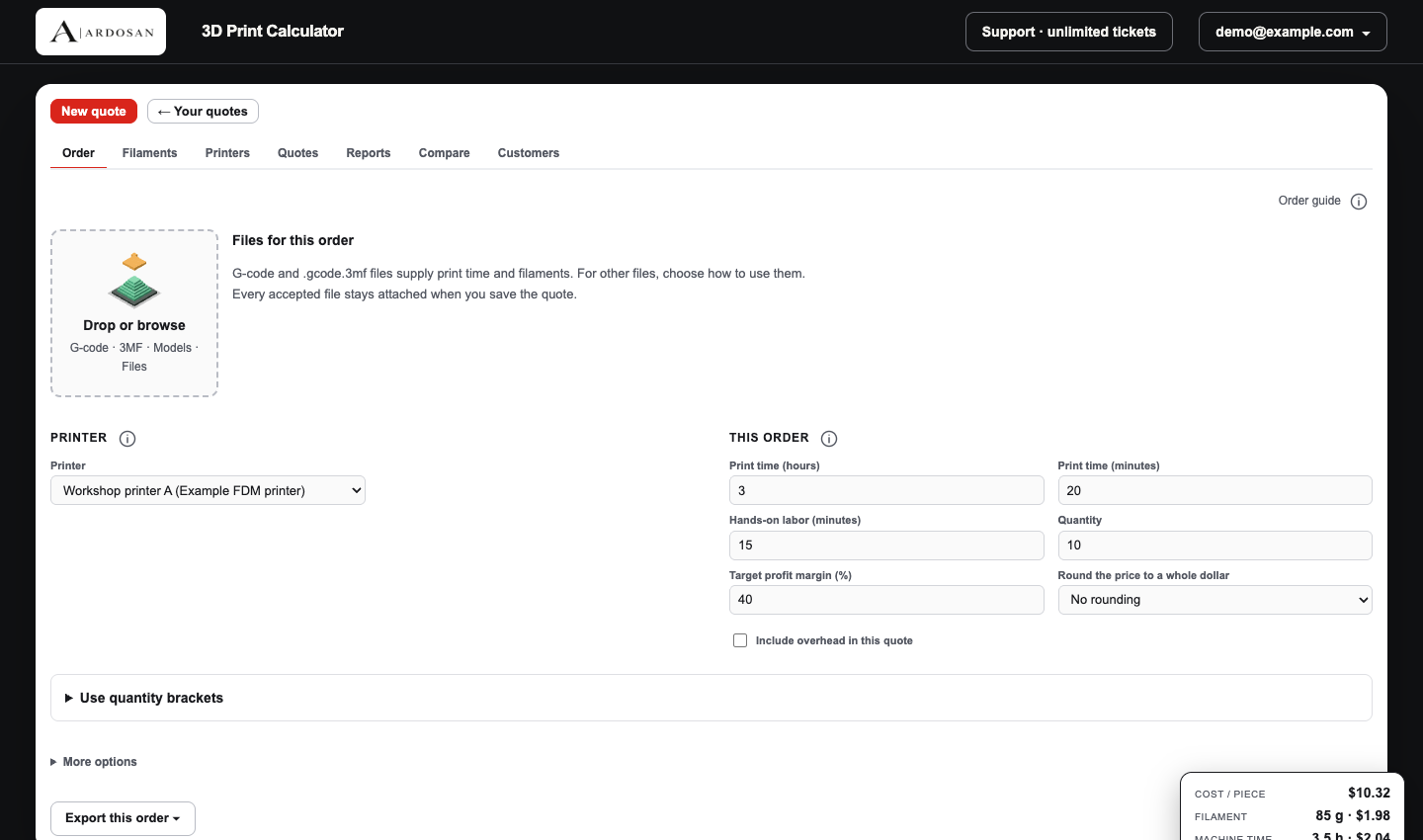
The Order screen brings together print time, quantity and target margin, with the live Price panel on the right. Open full size - Review Price per piece and Quote total in the price panel.
- Save the quote if your license includes saved quotes, or choose Export quote PDF.
- Use the left navigation to open a section. Its Add, Export and help commands appear directly underneath the section name. Save stays in the app header.
- Watch the bottom strip while editing. Quote total, total cost, profit and margin describe the whole quote; the second row describes the selected model.
- Click a marked filament or labor value to review it or explicitly confirm an intentional zero. Editing that value clears its confirmation. The separate readiness status lists customer details and checks for other models; these checks do not guarantee every cost has been entered.
Check your result
The Price panel shows the intended quantity, price per piece and quote total. Review the displayed margin before sending a quote.
If you need more help
If you cannot complete these steps or the result differs from the check above, create a support ticket with the steps tried and any message shown.
Workflow at a glance
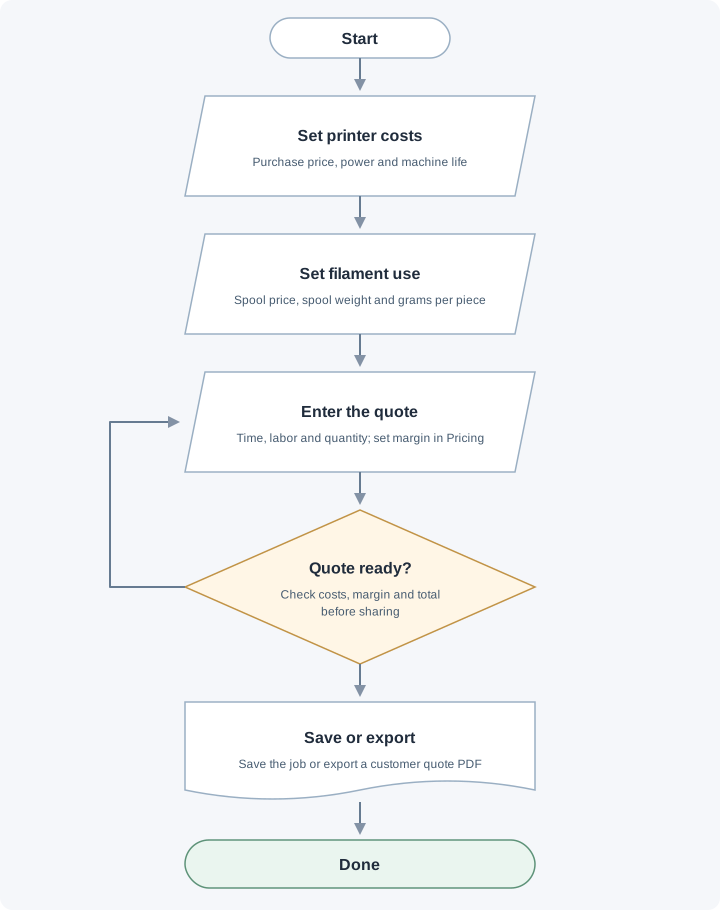
Set printer costs and filament use, enter the quote, then review costs and margin. Revise the quote if needed before saving or exporting the quote.
Change log (7 entries)
- Version 1.6
Updated navigation, header Save and bottom pricing/readiness instructions for the consolidated workspace.
- Version 1.5
Tightened image frames and spacing while retaining full-size enlargement.
- Version 1.4
Reduced inline diagram previews while keeping full-size enlargement.
- Version 1.3
Replaced workflow cards with flowcharts using input, decision, document and start/end symbols, labeled branches and revision paths.
- Version 1.2
Separated procedures into individual numbered actions and kept screenshots beside the relevant steps.
- Version 1.1
Expanded the article layout to use the full available page width.
- Version 1.0
Started change tracking for the current article. This version includes structured guidance, topic tags, app screenshots, a workflow diagram.
Did this article solve your problem?
Loading feedback…