3D Print Calculator Web / Order
How-to guideInclude model licenses and design work
Version 1.3 · Updated · View changes
Review how one-time work is allocated to a quote.
Screenshots use sample data. Your prices, license level and settings may differ.
Before you begin
- Know the model license cost and design hours. Confirm the design rate in Preferences.
Procedure
- Open More options in Order and find One-time costs.
- Enter the model license cost, the orders it covers and any model-cost percentage allocation you intend to use.
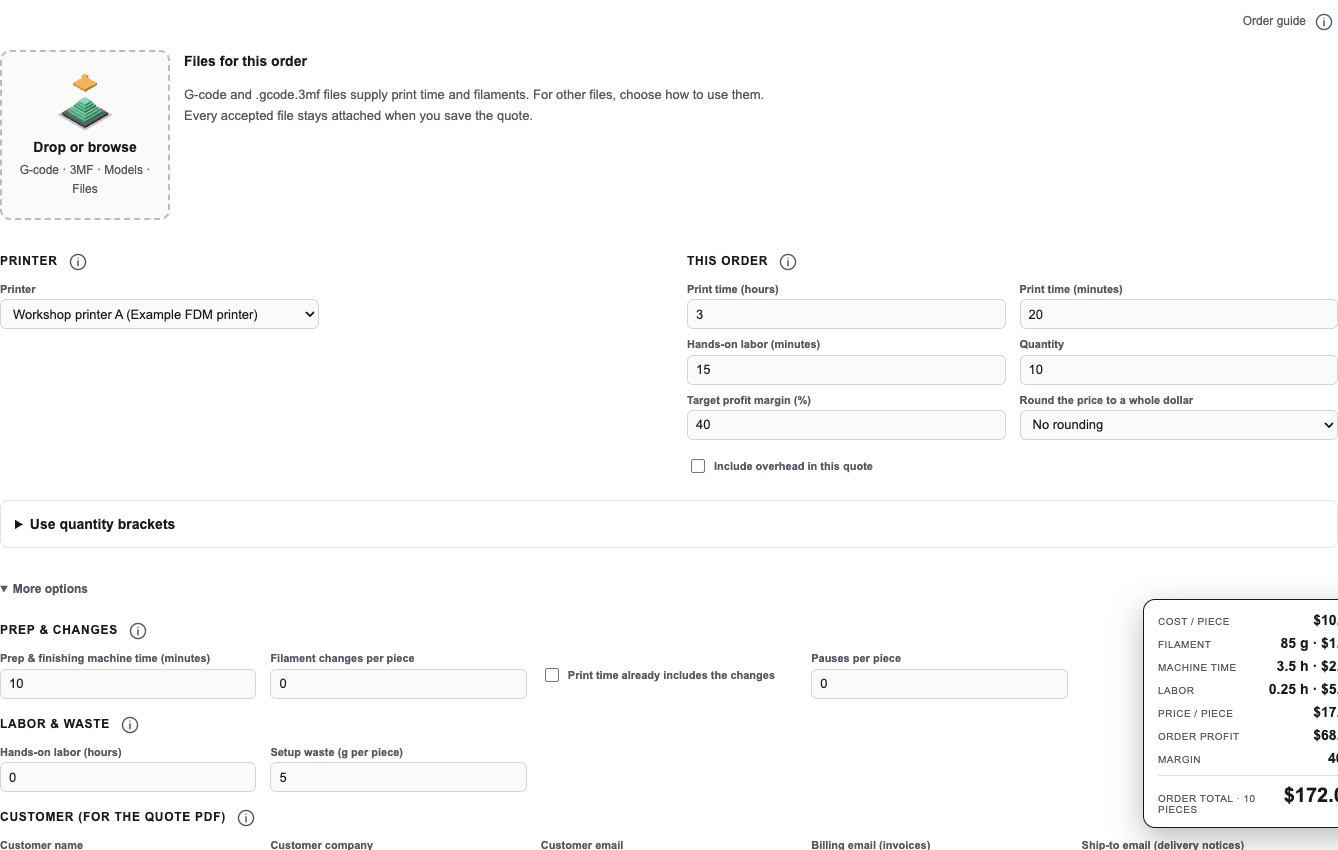
Open More options to find the One-time costs fields for model licensing and design hours. Open full size - Enter design hours and review your design rate in Preferences.
- For Reports, the quote model license and design cost are paid once at the start.
- Use Other one-time cost only for additional costs.
Check your result
Review the resulting order price and confirm that your chosen allocation covers the intended license/design work.
If you need more help
If you cannot complete these steps or the result differs from the check above, create a support ticket with the steps tried and any message shown.
Change log (4 entries)
- Version 1.3
Tightened image frames and spacing while retaining full-size enlargement.
- Version 1.2
Separated procedures into individual numbered actions and kept screenshots beside the relevant steps.
- Version 1.1
Expanded the article layout to use the full available page width.
- Version 1.0
Started change tracking for the current article. This version includes structured guidance, topic tags, app screenshots.
Did this article solve your problem?
Loading feedback…