New at Plus
Read a sliced 3MF or an STL

Drop in a sliced Bambu Studio or Orca file and print time and filaments fill in, each matched to yours by maker, material and color. An STL gives a rough filament weight before you slice.

Everything in Basic, plus 50 saved quotes, reading a sliced 3MF for your real filament list, and an STL for a quick weight estimate.
$14 USD
A quick estimate. The calculator prices every detail from your own costs.
Profit you could have included, instead of just covering costs.
Illustration only, not a forecast or a promise of results. It assumes 5 similar orders a week, priced at cost instead of this quote, with the same costs and margin for 52 weeks.
What you get
Each level includes everything in the levels before it.

New at Plus
Drop in a sliced Bambu Studio or Orca file and print time and filaments fill in, each matched to yours by maker, material and color. An STL gives a rough filament weight before you slice.
New at Plus
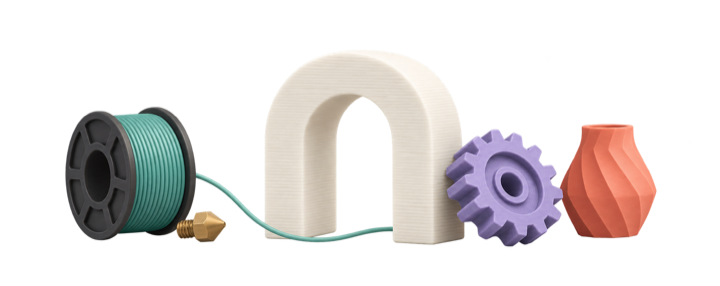
Attach the 3MF, STL, OBJ or CAD files for a quote and turn the model in a 3D viewer with a view cube.
New at Plus
Keep up to 50 saved quotes on Plus and 75 on Professional, and choose the prefix and where your quote numbers start.
New at Plus
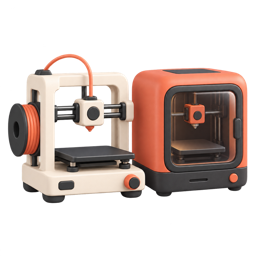
Keep up to 8 printers, each with its own price, power, nozzle and life, and choose one for every quote.
New at Plus
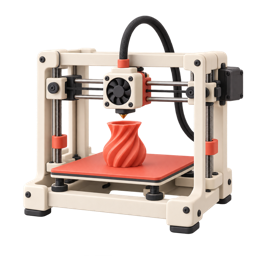
Record the manufacturer and model of each printer; known models fill in power and filament-changer settings for you.
Included from Basic
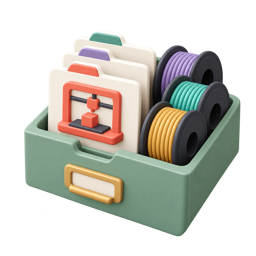
Save everything in your account to a file and bring it back later or on another account.
Included from Basic
Price prints that use several filaments, up to 4 on Basic, 6 on Plus and 8 from Professional, each with its own material, color and spool cost.
Included from Basic
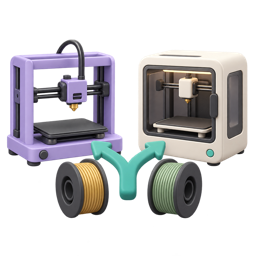
Put two quotes for the same job side by side: every field, green for up and red for down, with a CSV export.
In every level
Filament, electricity, machine wear, labor, failed prints and one-time model costs added up and turned into a price at your target margin. Round the price to a whole dollar, and charge a share of what you paid for a model.
In every level

Export a customer quote with your logo and details, the item and total, the model and its filaments, payment terms and a signature block. Costs and margin stay private. Copy the same quote as email text.
In every level

Add the cost of running the shop to a quote with the Hobbyist profile, grouped as facility, administration, consumables, order fulfilment and transaction fees.
In every level
Each filament gets a wear tier, picked from the material and the spool price or set by you, so abrasive filaments carry their extra nozzle wear in the price.
Also included

In every level

Section headings in the calculator carry a help icon that opens the guide for what you are looking at, so the answer is one click away.
In every level
Save a priced order as a quote and keep it as a record: the price stays as it was even if your costs change. Free keeps 5 quotes, Basic keeps 25 with numbers and auto-save, Plus keeps 50, and Professional keeps 75.
In every level
Basic and up also choose a part-time or full-time shop profile. Every level can enter its own rent, software, packaging and fees over a profile.
Inside the calculator
Real screens from the calculator, with sample data. Click a screen to zoom.
Everything you enter becomes a price. The Current Price panel shows each cost, the profit and the quote total.
Your costs. Your margin. Your prices.The quote your customer sees: your details, the total, the model and a signature block. Your costs stay private.
Your costs. Your margin. Your prices.Overhead is grouped so you can see what each kind adds to a quote.
Your costs. Your margin. Your prices.Carbon fiber and glass-filled filaments are charged for the extra wear on your nozzle.
Your costs. Your margin. Your prices.Saved quotes keep their price. Free keeps 5, Basic 25, Plus and above unlimited.
Your costs. Your margin. Your prices.Every field side by side, with the difference in green or red.
Your costs. Your margin. Your prices.Drop a sliced file and the time and filaments fill in, matched to your own list.
Your costs. Your margin. Your prices.See the model, with a view cube, right in the calculator.
Your costs. Your margin. Your prices.Each printer with its own price, power and nozzle. Pick one per order.
Your costs. Your margin. Your prices.Start your monthly subscription through our secure Shopify checkout.
We send a one-time signup link to the email on your order.
Choose a password, set up an authenticator app, and start quoting.
Your costs, your margin, in your browser. Cancel any time: no refunds, but you are not charged again after the term ends. Your saved data is deleted 15 days after your paid period ends.