3D Print Calculator Web / Order
How-to guideCharge less margin on bigger orders with quantity brackets
Version 1.2 · Updated · View changes
Set quantity brackets so a larger order is priced at a lower margin automatically.
Screenshots use sample data. Your prices, license level and settings may differ.
Before you begin
- A license level that includes quantity brackets (see License levels).
- Your normal target profit margin, which applies to quantities below your first bracket.
Procedure
- Open Pricing and expand Quantity brackets. This feature needs a license level that includes quantity brackets (see License levels); on lower levels, select the locked tag to see which one.

On a level without brackets, a small locked tag replaces the section; selecting it explains how to upgrade. Open full size - Choose + Add a bracket.
- Enter the starting quantity for the bracket.
- Enter the target profit margin to apply from that quantity upward.
- Repeat Add a bracket for any other quantity breaks you need.
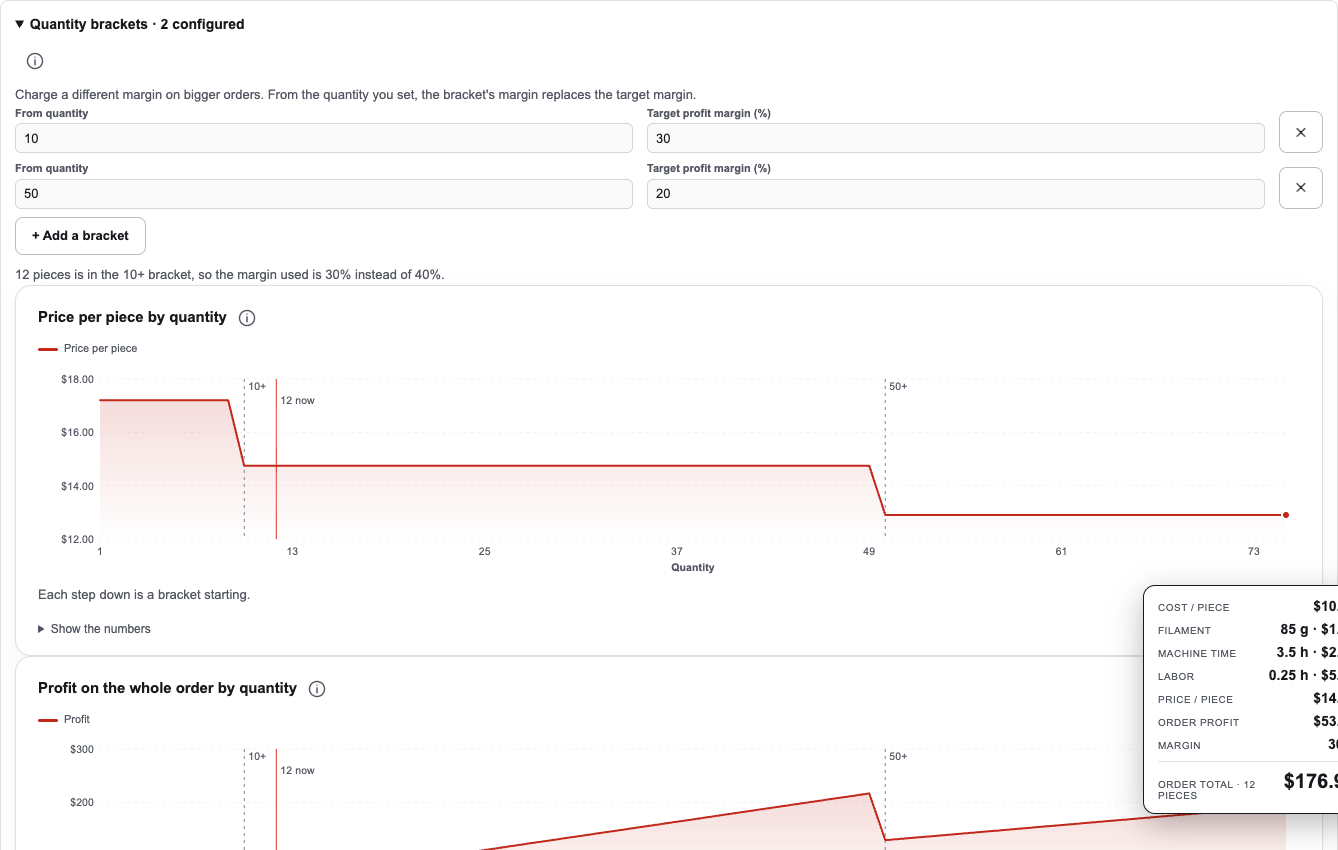
Two brackets: from 10 pieces the margin is 30%, and from 50 pieces it is 20%. A quote of 12 pieces uses the 10+ bracket. Open full size - Set the quote Quantity. The note under the brackets says which bracket applies, and the Price panel uses that margin instead of your target margin.
- Check the Price panel. Profit margin shows the margin used, with the margin you asked for in brackets. Saved quotes, comparisons and reports use the bracket the same way.
Check your result
With a quantity inside a bracket, the note names the bracket and the Profit margin line in the Price panel shows that bracket's margin. A quantity below every bracket uses your target margin.
If you need more help
If you cannot complete these steps or the result differs from the check above, create a support ticket with the steps tried and any message shown.
Change log (3 entries)
- Version 1.2
Tightened image frames and spacing while retaining full-size enlargement.
- Version 1.1
Separated procedures into individual numbered actions and kept screenshots beside the relevant steps.
- Version 1.0
New article: quantity brackets for volume pricing.
Did this article solve your problem?
Loading feedback…